Cloning Tools Labs Compare With Geneious Prime: Complete Laboratory
A Geneious Prime alternative for cloning is another sequence workspace a lab evaluates when Geneious Prime's mix of alignment, assembly, and cloning is not the right daily fit. Cloning teams should judge replacements by whether restriction, Gibson, or Golden Gate designs stay on a shared plasmid map the rest of the group can review.
Geneious Prime, from Biomatters (now in the Dotmatics portfolio), sits next to NGS-adjacent analysis as well as plasmid work. Labs that mainly clone often compare SnapGene, Benchling, Zettalab, QIAGEN CLC, ApE, and UGENE on the same cloning handoff, not a market rank.
What Cloning Teams Actually Use Geneious Prime For
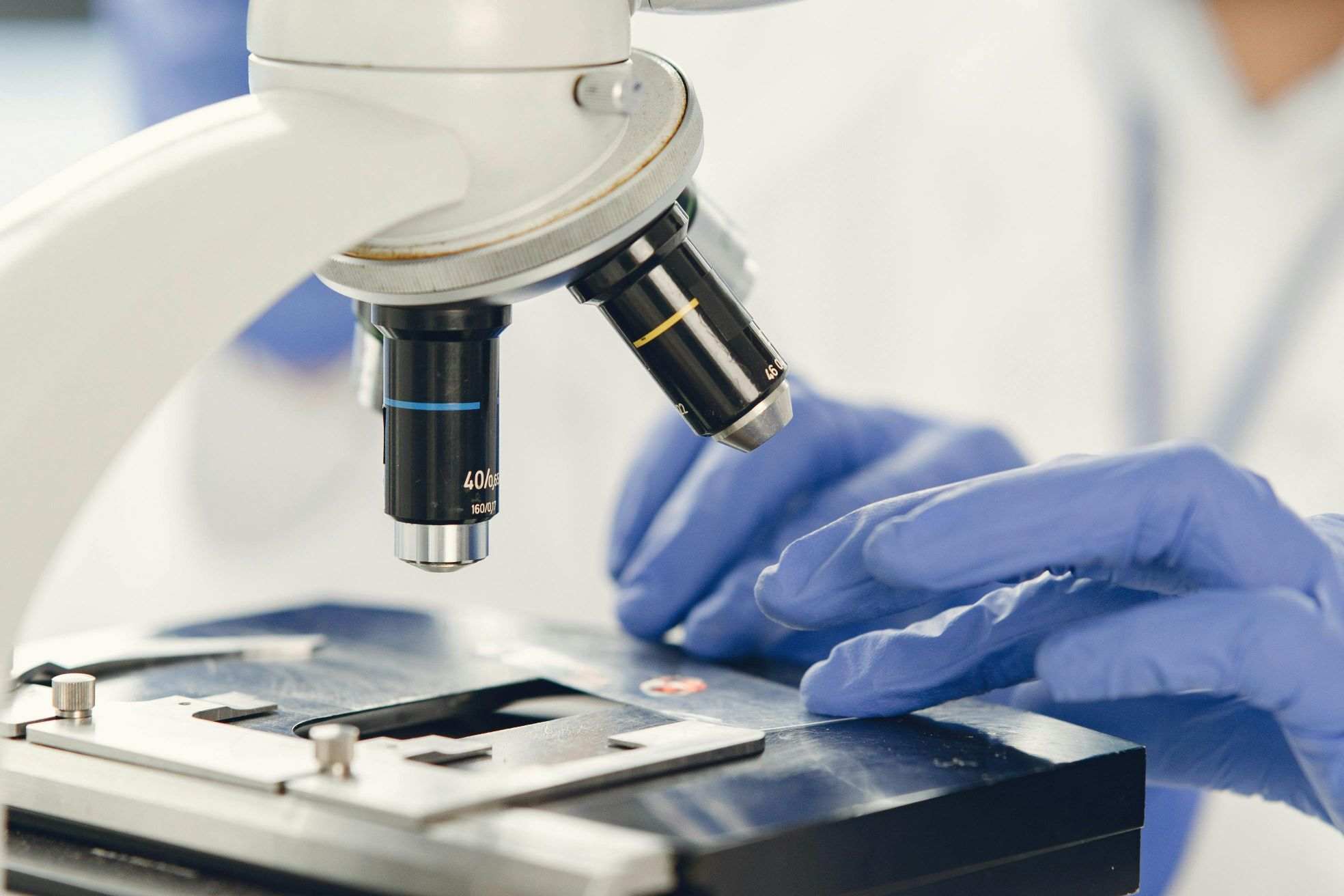
Geneious Prime is not only a plasmid drawer. Many groups open it because Sanger or NGS-adjacent alignment, contig tools, and cloning live in one desktop license. That breadth is the reason it is hard to replace with a map-only editor, and also the reason a cloning-only team may be over-buying analysis they never run.
The daily cloning job is narrower. A designer needs an annotated backbone, a simulated insert, primers that match the chosen method, and a file someone else can open after transformation. If those four objects scatter into email, a personal Geneious database, and a paper notebook, the suite's analysis depth does not rescue the clone record.
Connected molecular biology software matters when the same workspace that simulates the assembly also holds the destination map and the later verification note. Desktop suites remain strong when one analyst owns alignment plus cloning on a local machine. The split is workflow ownership, not a claim that one vendor is universally stronger.
Criteria for a Geneious Prime Cloning Alternative
This is not a market ranking and it does not assign a numeric score to any vendor. The tools below are ones cloning groups commonly evaluate. Each is described against the same public, inspectable dimensions:
| Dimension | What to inspect | Why it matters for cloning |
|---|---|---|
| Assembly methods | Restriction, Gibson, Golden Gate, Gateway, or custom overlaps | A missing method forces a second editor before oligos are ordered |
| Map and feature quality | Circular maps, CDS translation, enzyme sites, feature libraries | Reviewers catch orientation and ORF errors on the map, not in a FASTA dump |
| Alignment next to the clone | Sanger traces, pairwise or MSA, optional NGS plugins | Geneious users often expect chromatograms to sit on the same construct |
| File handoff | GenBank, FASTA, native formats, cloud sharing | A license that cannot export a reviewable map traps the plasmid library |
| Records and permissions | Notebook link, project folders, role-based access | Cloning teams fail when the accepted map is not the map that was built |
| Tool | Deployment | Cloning emphasis | Alignment / NGS-adjacent | Typical fit |
|---|---|---|---|---|
| Geneious Prime | Desktop suite | Cloning plus broader sequence analysis | Strong; often the reason labs keep the license | Analysts who mix cloning with alignment in one app |
| SnapGene | Desktop maps | Simulated cloning and publication-style circular maps | Sanger-focused; not an NGS workbench | Cloning cores that live on annotated plasmid files |
| Benchling | Cloud R&D platform | Construct editing inside shared sequence files | Depends on tenant modules | Teams that already notebook in the same cloud tenant |
| Zettalab | Cloud molbio workspace | Plasmid maps and cloning next to experiment records | Alignment in the molecular tools; not an NGS suite | Cloning groups that want maps and ELN context together |
| QIAGEN CLC | Desktop workbench | Cloning inside a broader QIAGEN analysis stack | Genomics Workbench is NGS-heavy | Cores already standardized on CLC for sequencing |
| ApE | Free desktop editor | Fast maps, restriction, Gibson and Golden Gate helpers | Basic; not a replacement for Geneious alignment | Solo designers and teaching labs |
| UGENE | Open-source toolkit | Cloning as one module among many bioinformatics tools | Broad bioinformatics, variable cloning polish | Labs that already run UGENE for other analyses |
Cloning Tools Labs Commonly Compare With Geneious Prime
The list mixes desktop map editors, analysis workbenches, and cloud R&D workspaces. No single class covers every lab. A Geneious Prime user who mainly maps plasmids will not need the same replacement as a user who also runs reference mapping inside the suite.
SnapGene
Company Background: SnapGene was created by GSL Biotech in Chicago as a desktop application for plasmid maps and cloning simulation. The product is now part of the Dotmatics portfolio, which also includes Geneious Prime and LabArchives.
Core Products/Direction: SnapGene is built around annotated circular and linear maps, enzyme sites, and in silico cloning for common methods. Users typically export figures and GenBank-like files rather than running genome-scale analysis in the same window.
Technical Approach: The differentiator versus Geneious Prime is focus. SnapGene concentrates on construct clarity and cloning steps; it does not try to be an NGS workbench. Labs that used Geneious mainly as a pretty map tool often feel at home here, while alignment-heavy users still need a second application.
Best Suited For: Cloning cores, teaching labs, and biotech teams whose daily object is an annotated plasmid. Confirm current cloning-method coverage and file exchange with Geneious databases during a trial.
Benchling
Company Background: Benchling is a San Francisco R&D software company founded in 2012. It sells a cloud platform that combines molecular biology tools with notebook and workflow modules used in biotech and academic labs.
Core Products/Direction: Sequence files, cloning tools, and notebook entries can live in one tenant. Designed inserts can remain on the same construct that collaborators review, instead of traveling as a desktop database export.
Technical Approach: The differentiator is shared cloud context rather than a local Geneious project. Cloning quality still depends on which molecular biology functions the lab's configuration includes. Benchling is not a drop-in desktop replacement for Geneious's local NGS plugins.
Best Suited For: Teams already documenting constructs in Benchling who want design and cloning in one cloud file. Groups that only need a fast local map may find a desktop editor quicker to open.
Zettalab
Company Background: Zettalab is a cloud-based R&D workspace for molecular biology teams. Its molecular tools cover sequence editing, plasmid maps, primer design, alignment, and cloning simulation in the same project as experiment records.
Core Products/Direction: Cloning sits next to the destination map rather than in a separate desktop database. A simulated assembly can be reviewed on the plasmid, checked against method constraints, and linked to an electronic lab notebook record for later clone verification.
Technical Approach: The design goal is a connected cloning workflow: maps, primers, alignments, and notes stay in one project. It is not a Geneious-style NGS suite. Unusual assembly methods and genome-scale analysis may still need a specialized desktop or academic tool as a second check.
Best Suited For: Biotech and academic cloning teams that want shared plasmid files and a reviewable experiment record. Details of supported cloning methods should be confirmed in a trial, not assumed from this article.
QIAGEN CLC
Company Background: CLC began as CLC bio in Aarhus, Denmark, and is now part of QIAGEN's bioinformatics line. Labs meet it as CLC Main Workbench for molecular biology or CLC Genomics Workbench for NGS-scale analysis.
Core Products/Direction: The workbenches cover sequence analysis, cloning-related tools, and, in the genomics product, read mapping and variant work. Cloning is one job inside a broader QIAGEN analysis stack rather than a plasmid-first interface.
Technical Approach: CLC is a closer cousin to Geneious Prime than to a map-only editor: both are analysis suites that also clone. The trade-off is interface density. Teams standardized on QIAGEN pipelines may prefer to stay inside CLC; teams that only want circular maps often look elsewhere.
Best Suited For: Cores that already run CLC for sequencing and want cloning in the same license family. Confirm which cloning functions ship in Main Workbench versus Genomics Workbench for your version.
ApE
Company Background: ApE (A plasmid Editor) is a free desktop program written and maintained by M. Wayne Davis at the University of Utah / HHMI. A 2022 Frontiers in Bioinformatics paper describes its map, annotation, and in silico cloning features.
Core Products/Direction: ApE focuses on editable sequence windows, circular and linear maps, restriction sites (including Dam/Dcm awareness), and helpers for PCR, Gibson, and Golden Gate. It is not sold as an enterprise analysis suite.
Technical Approach: ApE is fast and local. It will not reproduce Geneious Prime's NGS-adjacent plugins or multi-user database. For a cloning chemist who currently uses 10 percent of Geneious, that narrower scope is often the point.
Best Suited For: Solo designers, teaching labs, and groups that need a no-cost map editor. Teams that require centralized permissions and an ELN link still need a shared workspace around ApE files.
UGENE
Company Background: UGENE is an open-source bioinformatics toolkit developed by Unipro in Novosibirsk. It is used as a multi-tool workbench rather than as a dedicated cloning product.
Core Products/Direction: The suite includes alignment, visualization, NGS-related workflows, and molecular biology functions. Cloning exists, but it shares attention with many other analyses.
Technical Approach: UGENE can replace some of Geneious Prime's analysis breadth at open-source cost. Cloning polish, circular-map ergonomics, and team sharing should be tested on the lab's real backbones rather than assumed from the module list.
Best Suited For: Labs that already run UGENE for bioinformatics and want to try cloning in the same toolkit. Groups whose only job is plasmid construction often prefer a map-first editor or a cloud construct workspace.
How to Move Cloning Work Out of a Geneious Desktop Project
Freeze the objects that make a clone reviewable before you switch tools: backbone version, insert source, restriction or overlap design, primer sequences, and the verification plan. Export constructs to GenBank or FASTA so you are not trapped in a native Geneious database if a collaborator does not hold the same license.
Keep alignment evidence with the map. A chromatogram that only lives in a personal Geneious folder will not explain a failed colony to the next student. A Zettalab cloning and sequence guide is useful when the lab wants those checks inside the same project as the map. If you stay on desktop files, store a dated export whenever a construct is declared in use.
Do not treat a Geneious-to-SnapGene move as a full R&D platform change. That swap often solves maps and cloning simulation. It does not by itself create notebook permissions, audit-friendly records, or a shared plasmid library. Decide whether you are replacing a map tool, an alignment tool, or the whole design-plus-record stack.
FAQ
What should cloning teams evaluate in a Geneious Prime alternative?
Evaluate assembly-method coverage, circular-map quality, whether Sanger or other alignments can sit on the same construct, and how files leave the tool. Geneious Prime users often underestimate how much of their day is alignment rather than cloning; if chromatograms are the real job, a pretty plasmid editor will feel incomplete. Ask how backbones, primers, and verification notes are shared: local folders, a vendor database, or a cloud project with roles. Confirm export to GenBank so a CRO or core lab can open the map without your original license. Connected workspaces such as Zettalab are one way to keep maps and records together; desktop editors remain reasonable when one person owns the clone file.
Is SnapGene a full replacement for Geneious Prime?
Only if your Geneious use is mostly plasmid maps and cloning simulation. SnapGene is widely chosen for circular maps and in silico cloning, and it is now in the same parent portfolio as Geneious, but it is not an NGS workbench. Labs that map reads, build large assemblies, or run phylogenetic workflows inside Geneious still need those functions somewhere else. Treat the question as two purchases: a cloning-map tool and an analysis tool. If both jobs stay important, budget time for file exchange rather than expecting one window to do Geneious's entire job.
Can a cloud molecular biology workspace replace a Geneious desktop license?
It can replace the cloning and sharing portion when the team needs concurrent editing, permissions, and a notebook next to the map. It does not automatically replace every Geneious plugin. Test your hardest construct: a multi-fragment Golden Gate, a large viral backbone, or a Sanger pileup on a repetitive insert. Check import of existing Geneious or GenBank files and whether feature names survive. Cloud tools also change IT review: data residency, SSO, and who can export sequences. Desktop licenses remain simpler for a single analyst on an offline machine.
How do academic cores keep cloning files when students leave?
Do not store the only copy in a personal Geneious database on a departing laptop. Require a lab-owned export (GenBank or the lab's chosen native format) plus the primer table and verification chromatograms in a shared drive or ELN. Name the backbone version in the file, not only in a chat message. Project-level permissions help when rotations change every semester. If the lab moves to a cloud workspace, decide who owns the master map before the student account is closed. A folder of FASTA files is not enough if annotation and enzyme history disappear.
Do free tools such as ApE or UGENE cover routine cloning?
ApE is often sufficient for solo restriction, Gibson, and Golden Gate design on ordinary plasmids, and many teaching labs standardize on it. UGENE can cover cloning if the group already lives in that toolkit, but the cloning experience is not the whole product. Neither tool reproduces Geneious Prime's commercial support model or its NGS-adjacent plugins. Free software still needs a sharing rule: where the accepted map lives, who may edit it, and how verification data attach. Donation-supported or open-source tools are excellent editors; they are not automatically a team archive.
Conclusion
Geneious Prime alternatives for cloning split by job: SnapGene and ApE for map-first desktops, CLC and UGENE when analysis breadth still matters, Benchling and Zettalab when constructs must live beside shared records. Keep Geneious if alignment and cloning truly share one analyst's day. Switch on the handoff that actually breaks: missing circular maps, trapped native files, or a clone that never reaches the notebook. Teams that want maps, primers, and records in one cloud workspace can review Zettalab's molecular biology tools and current plans.
Related Articles