Student-friendly Snapgene Alternatives to Compare: Complete
A free SnapGene alternative is cloning software that lets a student open plasmid maps, annotate features, and plan restriction or assembly steps without a paid SnapGene license on every course computer. Undergraduates usually need to read a teaching plasmid, mark primers, and export a file the instructor can open, not a full commercial cloning suite.
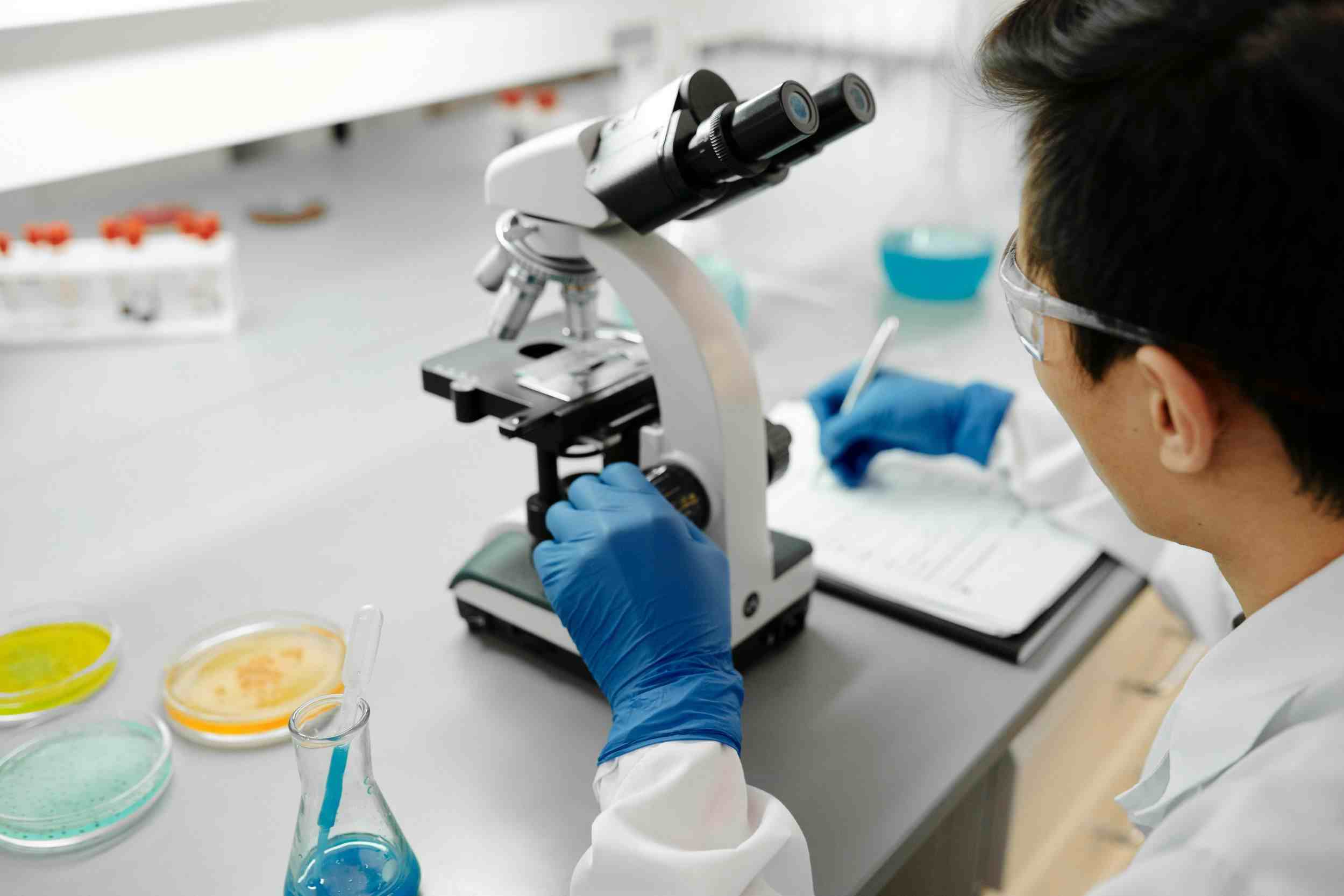
Course labs should compare desktop freeware, a free viewer with edit limits, and academic cloud workspaces, then freeze one exchange format so mixed tools do not break next week's map.
What Free Means in an Undergraduate Cloning Course
Free is not one category. SnapGene Viewer is free to install but is built to inspect files, not to replace every cloning command in paid SnapGene. ApE, UGENE, and Serial Cloner are desktop programs students can run without a seat contract. Benchling Academic and some cloud workspaces are free only after the school, instructor, or student passes an affiliation check.
A teaching lab fails when half the class can edit a map and the other half can only screenshot it. The useful question is which tasks the course actually grades: opening a map, adding a primer feature, simulating a digest, assembling an insert, or exporting a file the TA can re-open on a different computer.
Do not treat a classmate's cracked installer as a free alternative. Course computers, shared laptops, and homework files need a path the department can defend. Stick to vendor viewers, academic programs, and actively maintained freeware, and write the allowed tool list into the syllabus before the first plasmid lab.
What Students Should Compare Before Picking a Tool
Price is the wrong first filter if the file cannot round-trip. Test the same teaching plasmid in every candidate: import, add one feature, export, and open the export on the instructor machine. If primers vanish or the topology flips, the tool is not free enough for that course.
Check whether cloning simulation exists at all. Many free viewers show enzyme names on a circle but will not assemble a PCR product or report a leftover scar. Check OS support on the teaching-lab image. Check whether a student can keep working after graduation day if the academic cloud account expires. Check whether the instructor can collect a folder of maps without creating 40 incompatible private formats.
This list is not a ranking and does not assign scores. It names tools undergraduate cloning courses commonly evaluate, including Zettalab molecular biology tools as one cloud option whose academic terms must be read on the live pricing page.
| Tool | Access model | Map and cloning work | Course collaboration | Watch-outs |
|---|---|---|---|---|
| ApE | Free desktop; donations encouraged | Plasmid maps, annotation, restriction and assembly helpers | File exchange, not a class workspace | Each PC needs its own install and feature libraries |
| UGENE | Open-source desktop suite | Sequence analysis plus some cloning views | Local files; workflows can be shared as files | Heavier interface than a dedicated plasmid GUI |
| Serial Cloner | Free desktop historically used in teaching | Maps, simple cloning and PCR views | File exchange only | Confirm current OS builds and support status |
| SnapGene Viewer | No-cost reader from SnapGene | Open maps and traces; design depth is limited | Students can open instructor .dna files | Not a full paid-SnapGene substitute for new constructs |
| Benchling Academic | Cloud workspace after academic verification | Sequence editor and cloning tools in-browser | Shared folders if the course is set up that way | Eligibility and commercial-use rules must be confirmed |
| Zettalab | Cloud workspace; confirm student or academic terms | Plasmid maps, primers, cloning context with optional records | Project sharing inside the workspace | Do not assume a dollar figure; read current terms |
Free SnapGene Alternatives Students Commonly Evaluate
ApE (A Plasmid Editor)
Company Background: ApE is a freely distributed plasmid editor created and maintained by M. Wayne Davis at the University of Utah. A 2022 Nucleic Acids Research paper describes the program and its teaching-lab use. Donations are requested; there is no seat invoice.
Core Products/Direction: Students use ApE to view circular and linear maps, annotate features, find restriction sites, plan PCR, and run common in silico assemblies. Files are stored locally in ApE's format and can be exchanged as sequence exports.
Technical Approach: ApE is a desktop specialist for plasmid graphics and cloning helpers, not a cloud class roster. Feature libraries live on the machine, so a teaching-lab image should include the same default features the instructor used when drawing the map.
Best Suited For: Undergrad labs that can install software on Windows, macOS, or Linux course computers and that grade map editing rather than multi-user notebook workflows.
Important Notes: ApE does not replace an electronic lab notebook. Pair it with the course's written protocol sheet so the digest plan and the wet-lab result stay connected.
UGENE
Company Background: UGENE is an open-source bioinformatics workbench maintained by the Unipro team, with long-running public desktop builds for Windows, macOS, and Linux. It is free for academic and non-academic use under its open-source license.
Core Products/Direction: The suite covers sequence viewing, alignments, annotations, and a workflow designer. Cloning-oriented views exist, but the product is broader than a plasmid-only editor.
Technical Approach: UGENE trades a simple cloning-first screen for a toolkit that can also open alignments and some NGS-adjacent files. That breadth helps a bioinformatics module; it can slow a two-hour plasmid lab if students have never seen the interface.
Best Suited For: Courses that already teach sequence analysis and want one free desktop install that can also open the cloning plasmid, not labs that only need a circular map in the first week.
Serial Cloner
Company Background: Serial Cloner is a free desktop cloning program that teaching labs have used for maps, virtual digests, and simple assemblies. Public download pages have listed older version numbers, so it should be treated as freeware whose maintenance status must be checked, not as a guaranteed long-term campus standard.
Core Products/Direction: Typical student tasks are opening a sequence, drawing a plasmid, finding enzymes, and planning PCR. Collaboration is file-based.
Technical Approach: Serial Cloner is a lightweight local editor. It does not provide a course cloud, permissions, or an audit trail. If the last supported OS for your teaching image is unclear, test a clean install before putting it in the syllabus.
Best Suited For: Small practical classes that need a no-cost map tool today and can accept file-only sharing, with a documented export to GenBank so the next year's instructor is not trapped.
SnapGene Viewer
Company Background: SnapGene Viewer is the no-cost reader associated with SnapGene, a cloning product now marketed in the Dotmatics science-software family. The Viewer exists so people without a paid seat can still open SnapGene maps and related files.
Core Products/Direction: Students typically inspect circular maps, features, and Sanger traces that an instructor or core already created. Full cloning simulation, new construct design, and the broader paid toolset remain on the licensed SnapGene application. Confirm the current Viewer permission list, because vendors change what an unlicensed install may edit.
Technical Approach: Viewer is a companion, not a substitute license. It solves "I cannot open the .dna file the TA posted." It does not solve "design next week's insert from scratch on a lab PC with no paid seats."
Best Suited For: Courses that distribute instructor-made maps and ask students to read them, plus any class that must open SnapGene files alongside a different editor for homework.
Important Notes: Calling Viewer a free SnapGene alternative is only accurate for viewing. If the rubric requires students to simulate a clone, budget a real editor.
Benchling Academic
Company Background: Benchling is a San Francisco R&D software company founded in 2012. Its academic program gives verified university users access to cloud molecular biology tools and notebook features under academic terms that differ from commercial contracts.
Core Products/Direction: Students can edit sequences in the browser, share a course project if the instructor configures it, and keep plasmid files next to notes. Cloning tools sit inside the same cloud file rather than on a desktop install.
Technical Approach: The differentiator is hosted collaboration after an affiliation check. Personal webmail is not a reliable academic credential. Course use still needs a plan for when the term ends: export GenBank copies of every teaching plasmid the department wants to keep.
Best Suited For: Undergraduate projects where several students edit the same construct and the department already accepts a cloud workspace for student accounts.
Important Notes: Academic eligibility, allowed use, and what happens after graduation are policy questions. Do not treat a student account as a commercial license for a startup internship.
Zettalab
Company Background: Zettalab is a cloud R&D workspace for molecular biology teams. Sequence tools, plasmid maps, and experiment records can sit in one project instead of a desktop editor plus a separate homework folder.
Core Products/Direction: ZettaGene covers sequence viewing, plasmid maps, primer design, alignment, and cloning-oriented editing. Instructors can keep a teaching construct next to a short experiment record for the later miniprep check. A searchable plasmid library is a starting catalog, not a substitute for the course's own annotated teaching file.
Technical Approach: Zettalab is relevant when the course wants maps and notes in a shared project rather than USB sticks of .dna files. It is not a claim that every SnapGene click has a one-to-one button. Student, teacher, or academic terms change; read the live pricing page and do not copy dollar figures from a blog.
Best Suited For: Teaching labs that want a browser workspace for plasmid maps and are willing to confirm current academic access rules before the term starts.
Important Notes: Zettalab is not a LIMS and is not a free SnapGene binary. Export a portable sequence file for any assignment that must remain readable if an account lapses.
How a Course Should Handoff Files Across Mixed Tools
Pick one archival format for homework. GenBank-style text is the usual portable layer because more editors can re-import features than can open a proprietary map. Keep the native working file only if the whole class uses the same program. Ask students to name files with the plasmid nickname, version, and their initials so the TA does not merge two different pET inserts.
If the instructor lives in SnapGene and students live in ApE or a cloud editor, run the round-trip in week one: export, import, check translation of the ORF, check primer features, check circular topology. Repair the teaching file before the graded cloning practical. A short sequence and documentation workflow is useful when the course also wants the digest plan written next to the map rather than only in a lab printout.
Do not grade screenshots as the only map. Screenshots cannot be ligated in silico next semester. Collect the sequence file, even when the pretty circle was made in a viewer.
Implementation Notes for Instructors
Write the allowed tools in the syllabus, including Viewer versus editor. Test the teaching-lab image offline if the room has weak Wi-Fi; desktop freeware still wins in that room. For cloud academic products, create the course project before the first lab and practice the affiliation login with a student account, not only a PI account.
Keep a department archive of teaching plasmids in a portable format independent of any one vendor. When a student moves to a research lab, they should leave with a GenBank file, not a login they will lose.
FAQ
Is SnapGene Viewer a free SnapGene alternative for students?
Only for reading. SnapGene Viewer is designed so someone without a paid seat can open maps and traces that were created in SnapGene. That is valuable in a course that posts instructor .dna files. It is not the same as a free license to design new constructs, run the full cloning simulator, or complete every exercise a paid seat would allow. Read the current Viewer limitations before you print the protocol. If students must add an insert, choose enzymes, or rebuild a plasmid, pair Viewer with an editor such as ApE or an academic cloud workspace. Calling Viewer a complete SnapGene replacement is how classes discover the missing command during the graded practical.
Can ApE replace SnapGene in an undergraduate cloning lab?
ApE can replace SnapGene for many teaching tasks: circular maps, feature annotation, restriction planning, and common assembly helpers on a local computer, at no seat cost. It will not match every SnapGene convenience, and it will not open every proprietary extra that lives only in a .dna file. Replacement quality depends on the assignment. A course that only asks students to mark primers on pUC19 can often standardize on ApE. A course that requires SnapGene-specific tutorials or a campus site license should keep SnapGene for those sections and use ApE as the homework editor. Always test import of the teaching file before you promise students they will see the same features the lecture slide showed.
Is Benchling Academic free for every student email address?
No. Academic cloud programs usually require an institutional affiliation check. A personal mailbox, a hospital volunteer address, or a company internship account is not automatically eligible. Instructors should confirm who can join the course project: enrolled students, TAs, visiting undergrads, and community-college partners are often different cases. When the term ends, export the teaching plasmids. Do not assume a student can keep the same workspace after graduation or during a summer job at a company. Academic terms are not commercial licenses. If a senior uses the same account in a funded biotech collaboration, that is a compliance question for the school, not a loophole in a course lab.
How should students submit plasmid maps when the class uses different tools?
Require a portable sequence export plus, if you want, a screenshot of the circle. GenBank-style files carry features that another editor can re-import; a PNG of a map cannot. Specify topology, the plasmid name, and a version in the filename. The TA should open a sample of submissions in the instructor tool during week one to catch vanished CDS translations. If you allow both desktop freeware and a cloud workspace, publish one canonical teaching file and forbid silent reformatting of the backbone. Mixed tools work when the exchange format is frozen. They fail when each student submits a private file type the rest of the department cannot open next year.
What should a student check before using a cloud cloning workspace on a shared computer?
Log out of the previous account, confirm the browser is allowed to store the new session, and never save passwords on a teaching-lab image unless the department manages that image. Download a local GenBank copy of your construct at the end of the session so a cleared cache does not erase the homework. Do not upload unpublished research plasmids from a PI's lab into a personal student project without permission. Course accounts are for course files. If the room has no reliable network, complete the map in a desktop editor and only use the cloud tool when you are back on a trusted connection. Shared PCs make cloud software usable, but only if session hygiene is part of the protocol.
Conclusion
Undergraduates do not need a ranked list of cloning brands. They need a tool that can open the teaching plasmid, complete the graded in silico step, and export a file the instructor can still read in May. SnapGene Viewer covers inspection. ApE, UGENE, and Serial Cloner cover local editing at no seat cost, with support and OS checks. Academic cloud workspaces cover shared projects after eligibility is confirmed. Zettalab is one of those workspaces; students and instructors should read current academic terms rather than copied prices. Compare the tools against your actual assignment, then review Zettalab's pricing and academic access details if a connected map-and-record project is what the course wants to try.
Related Articles